On-Chain Swaps: Approval, Quotes and Receipts
You have USDC in your wallet, but the swap asks for an approval first. Before confirming, work out who can spend which token. Then check what the trade will return. Both requests deserve attention.
On-chain actions can lose all affected assets. This is an explanation of mechanics, not investment advice or a safety guarantee. See the disclaimer.
What happens in a swap?
A DEX trade hands input assets to contracts and returns output assets through a route. That may involve pools, an aggregator or another execution mechanism. A preview is a quote, not a completed trade.
Check the network and token contracts first. A familiar symbol or icon does not establish which asset you are buying. I would read the minimum received before confirming rather than focus only on the large headline quote. A transaction can succeed on-chain while doing something you never intended.
Slippage, gas and deadline do different jobs
Slippage tolerance
This limits the price movement you accept. For a purely arithmetic illustration, a quote of 100 output units with a 1% reduction allowed gives a lower bound of 99 units. That is not a recommended setting; inspect how the actual protocol presents minimum output.
There is no fixed percentage appropriate to every stablecoin trade or new token. Increasing tolerance in a thin pool can make execution worse. If the price impact is unclear, stop rather than keep widening the setting until the error disappears.
Gas
The network charges for execution. A pre-signing estimate or cap is not the final fee; use the receipt to see the charge. Some L2 fees include additional data costs, so one simple gas-price calculation does not describe every network.
Ordinary Arbitrum transactions use ETH for fees, not ARB. USDC alone is not enough for every operation. If using fee sponsorship or a pay-in-token feature, confirm that it supports this request and check what it charges.
Deadline
Some swap contracts reject execution after a deadline. That does not automatically expire the network transaction: it may still be included, revert and charge gas. A pending transaction does not reliably disappear after a fixed number of hours.
Read the token, spender and amount
ERC-20 approve sets a spender's allowance without itself transferring the token. Later calls can use that allowance. The standard does not define a general automatic expiry, though allowances can be consumed, changed or revoked, subject to the implementation.
The first swap is not always exactly two transactions. Existing allowances, native-asset input, permits and batched operations can change the sequence. Read each request instead of using the number of prompts as a safety test.
Verify the full spender address against official deployment information; a few remembered characters are insufficient. Prefer only the allowance needed for the operation. An exact allowance still exposes that amount to the spender and does not make a malicious swap safe. Familiar protocols do not get an automatic unlimited-approval exception.
Permit2 distinguishes one-time signature transfers from time-bound allowances. A no-gas signing prompt still requires checking permissions, nonce and expiry.
A first-swap checking sequence
This is a sequence of checks, not a transaction we executed. The actual output, fee, prompts and confirmation time depend on the current wallet and route.
- Select a supported network. Verify it with the wallet and network documentation before moving assets.
- Check input tokens and fee balance. Confirm the token contract, minimum amount and native fee asset. Use an amount small enough to lose but large enough for the operation to work.
- Open a verified swap entry point. For example, inspect the actual domain of Uniswap; do not trust an ad or forwarded link as proof.
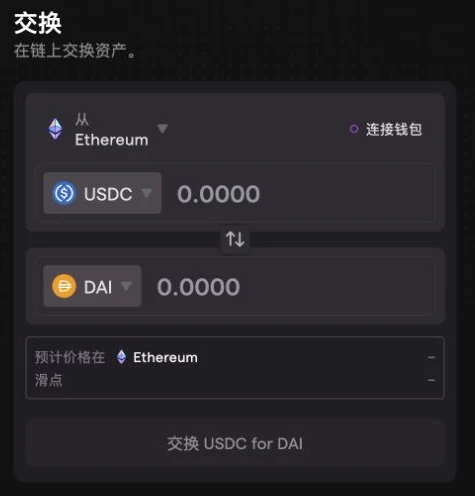
- Enter your amount. Read the output token, recipient, expected and minimum output, price impact and all fees.
- Inspect each allowance or signature. Check token, spender, amount and expiry. Cancel if the request cannot be explained.
- Confirm the permission state. If approval requires an on-chain transaction, check its receipt before continuing. Do not submit a string of retries after a failure.
- Review the trade again. Quotes may have changed. Reassess any difference between the preview and the current request.
- Verify receipt of the asset. Follow the wallet's explorer link and inspect status and transfers. The explorer guide explains those fields.
- Check any remaining allowance. If revoking, reserve gas and wait for that transaction to confirm.
Closing a page does not remove its allowance
Disconnecting a site ends its connection to the wallet, not its on-chain spending permission. With a verified tool such as Revoke.cash, first check network and permission coverage. No tool listing is a guarantee of complete coverage.
Revoke permissions you no longer need. An “Unknown” label means the tool lacks an identification; it is not itself proof of phishing. Investigate before using it. A familiar label should not exempt a contract from scrutiny either.
Revocation usually costs network gas. Scheduling several revocations on one day does not automatically lower each fee; batching depends on supported features. Suspected malicious permissions need immediate attention, not a monthly appointment. Unused permits may need separate handling, as explained in the approval guide.
Five ways the process goes wrong
Choosing a chain solely for cheap fees
The exchange, wallet, token and app must all support the route. Minimums, funding costs and execution risks still apply; no fixed sub-dollar total is guaranteed.
Treating unlimited approval as the default
Saving a possible future confirmation gives the spender a larger continuing allowance. Decide what this operation needs first.
Trusting a familiar name
Domains, symbols and contract labels can be imitated. Check the real domain and full address, not a shortened identifier.
Assuming an in-wallet route is safe
It can involve third-party contracts and pools. Read output, minimum received and permissions even inside your usual wallet.
Raising every parameter after a failure
Inspect the receipt first. More slippage or a higher gas limit may enlarge exposure without solving the failure. Pending, reverted and unbroadcast are distinct states.
FAQ
What slippage should I use?
There is no universal percentage. Check current liquidity, price impact and minimum output. Accept only changes you understand and can afford; do not widen tolerance merely to force execution.
What does approve mean, why is it a separate transaction?
It sets a specific spender's allowance for one ERC-20 token. Whether a separate transaction is needed depends on the existing allowance, input asset and protocol.
Can I cancel a pending transaction when gas is too high?
You can reject an unbroadcast request. For a broadcast, unconfirmed EVM transaction, a same-nonce replacement may work but is not guaranteed to win. Confirmed transactions cannot be cancelled, and pending ones do not expire on a fixed schedule.
What is a sandwich attack and how do I avoid it?
An attacker places trades around yours to profit from price movement. Inspect price impact and acceptable minimum output. Protected submission channels have network and service limits and do not eliminate all MEV risk.
My swap failed but gas was deducted — where did the money go?
When an EVM transaction reverts, its execution changes generally roll back but gas consumed is charged. An earlier separate approval may remain active. Inspect the failure receipt before trying again.
For pending-transaction options, consult MetaMask's official instructions for your account and version.