Self-Custody Wallets: Keys, Backup and First Receipt
If your phone breaks, are the coins gone? Their record remains on-chain. Whether you can still move them depends on the recovery credentials you kept. Understand recovery before funding a new wallet.
On-chain operations may cause irreversible losses. After seed exposure, act to protect remaining assets; changing a local password is insufficient. Educational information only; see the disclaimer.
Signing control and legal ownership differ
An exchange balance is generally a record maintained by the platform, with withdrawals processed by it. A self-custody address puts signing credentials under your management. That explains both why a broken phone need not destroy access and why customer support cannot restore an ordinary seed-based wallet merely by checking an ID document.
Possessing a key can provide on-chain control. Stealing it does not make someone the lawful owner of the assets.
“Not your keys, not your coins” is a reminder about custody, not a legal definition. Networks also check more than signatures: balances, nonces, fees, contract conditions and network availability can stop execution.
Self-custody reduces dependence on a custodian while moving backup and signing decisions to you. It does not eliminate issuer, contract, network or device risk. Tokens with administrative controls may still be frozen; holding a private key does not override their rules.
Private key, recovery phrase, address and signature
Private key
A private key is secret signing data. For a common single-signer account, someone who obtains it can generally initiate the account's transactions. Multisignature and smart accounts may require additional signers or conditions. This introduction mainly concerns ordinary seed-based wallets, not every account model.
Seed phrase
BIP-39 represents random entropy and checksum information as words, then uses those words with an optional passphrase to derive a seed. Twelve and twenty-four words are common; other specified lengths exist. The words are not a direct written translation of one private key.
Keys are then derived under the wallet's supported rules. Restoring an address requires compatible passphrase, derivation path, account index and network support. Importing the same phrase into different apps does not guarantee they immediately display every identical account and balance. Separately imported keys, hardware accounts and alternative recovery schemes may need different backups.
A BIP-39 passphrase is an additional input to seed derivation, not encryption of a file containing the phrase, and not necessarily a “thirteenth word”. A mistyped character can yield different addresses. Do not add that complexity unless you understand and can preserve the recovery requirements.
Address
An address publicly identifies an account or receiving condition. A usual Ethereum address is 0x plus forty hexadecimal characters; other chains use different formats. Sharing it does not normally disclose the private key, but it can reveal transaction links and invite targeted scams.
The same EVM address can appear on different networks with independent balances and histories. A correctly formatted address does not establish the intended network or asset.
Signature
A signature authenticates a request under the relevant credentials; it does not establish that the request matches your intention. It may still need submission and execution, or may be an off-chain message held for later use.
Login messages, spending permissions, orders and contract actions may all be called “signatures”. No gas charged at signing time does not imply safety. The phishing guide explains what to inspect.
Custody is a trade-off
| Question | Self-custody | Exchange custody |
|---|---|---|
| Who manages signing? | You or the account's configured signers | The platform |
| Lost device or password? | Follow the actual recovery model | Follow platform account recovery |
| Can assets move immediately? | Subject to network, fee, balance and contract conditions | Also subject to platform withdrawal checks |
| Custody risks | Key exposure, failed backups, harmful signatures | Platform management, account theft, withdrawal restrictions |
| Freezing restrictions? | Some tokens and contracts have administrative controls | Platform and legal restrictions may apply |
No allocation fits “95% of beginners”. Proof of reserves or a platform risk fund is not a guarantee of deposit insurance. Consider whether you can maintain backups, inspect signatures and deal with device failures, alongside the platform's and asset's own limitations.
For learning, limit exposure to an amount you could completely lose. Think separately about long-term holdings and daily interactions. A tutorial's next lesson is not a reason to move more funds.
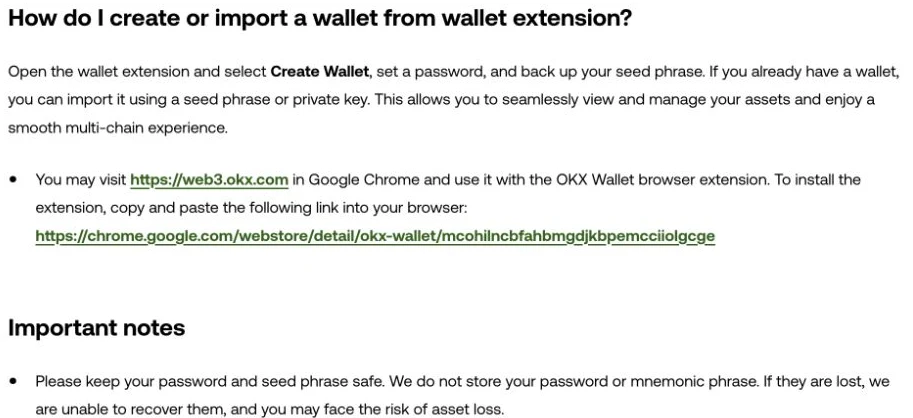
Create and back up before testing
Account types and versions differ. This sequence is not evidence that this site opened or operated an account. Use the official OKX create/import instructions to identify the relevant entry points.
- Verify the app source. Reach the store listing from the project's verified site and check the publisher, not just the search-result name.
- Choose the account type. Create a new seed-based wallet for a fresh setup; import only when restoring existing credentials. Other recovery schemes have different requirements.
- Set local unlocking. Passwords and biometrics protect access on the device; they do not replace recovery material.
- Back up privately and offline. Do not photograph the words or paste them into chat or cloud notes. Do not assume the app can always prevent screenshots.
- Verify the original order. Use the wallet's backup check. Preserve any required passphrase under a recovery plan you understand.
- Keep existing access while verifying recovery. Do not uninstall or erase the only accessible wallet before confirming backups. Rehearse with a new empty wallet in a trusted environment if needed. Never type a hardware wallet's seed into online software.
- Record account and network. Check the restored address and any separately imported accounts that need their own backup.
- Plan a small receive test. Check the exchange's network support, withdrawal minimum, fee and crediting conditions before choosing an amount.
- Track arrival on the right chain. Once submitted by the platform, inspect its receipt. Ethereum mainnet results alone do not describe OP or Arbitrum transfers.
- Check sending conditions. Reserve gas and verify the recipient's minimum deposit, memo or tag and token contract. Do not blindly copy a 0.5 USDC example.
- Inspect asset movement. Confirm the incoming and outgoing transfers match your intention. An ordinary direct send should not unexpectedly need a token allowance.
- Store backups safely. Public addresses can help with future queries; recovery phrases never belong in support screenshots or evidence packages.
Seven risks worth recognising
1. A recovery phrase in cloud photos
Anyone who reads it may gain control of associated accounts. Deleting the image does not establish that no copy was made. Address the exposure instead of waiting for a balance change.
2. Inventing your own word-order cipher
A rearrangement that is memorable today may be forgotten when recovery matters. Preserve the supported format rather than rely on a private memory trick.
3. Importing one seed everywhere
Every environment that can read the phrase becomes another place to trust. Try unfamiliar wallet software with an independent empty wallet instead of importing long-term credentials into a friend's device.
4. Assuming an empty address is safe
Old allowances may remain when funds arrive later. Whether an attacker uses them depends on permission state and action, not on whether the wallet was empty when approved.
5. Reading only “Confirm”
Inspect the actual call, spender and expected asset changes. A button label cannot distinguish a login, financial permission or batch of actions.
6. Giving recovery words to support
Support may need a description or public transaction hash. It should not need your seed or private key. Stop when asked for either.
7. Continuing with unmaintained software
Being able to launch an app does not establish ongoing security maintenance. Review official updates and recovery instructions before migrating; do not delete your only access first.
A small test, at your own pace
- Complete creation, backup and recovery checks before funding.
- Receive a small amount that meets the actual minimum when there is a reason to do so.
- Check gas and recipient conditions before trying a send.
- Read the swap guide if you need a swap, and the bridge guide if you need another network. Neither is a compulsory next step.
There is no fixed low-dollar budget guaranteed to cover the whole process. A successful small test also does not establish that later signatures or larger transfers will be safe.
FAQ
Are a seed phrase and a private key the same thing?
No. A BIP-39 phrase and optional passphrase derive a seed, from which keys are derived. Recovery also depends on account type, derivation and network support.
What's the relationship between wallet password, PIN, and seed phrase?
Password and PIN protect local access. An ordinary seed wallet recovers through its phrase and any required passphrase. Do not delete the only accessible installation before confirming backups.
What happens if I keep my seed phrase in a phone note or cloud notebook?
Someone who can read that material may gain control of the associated accounts. Suspected exposure requires protecting remaining assets and replacing affected keys, not merely deleting the note or changing a local password.
Which wallet should I start with?
Check your target networks, apps, recovery method and devices. OKX Wallet, MetaMask and Phantom have different conditions; use the site's comparison instead of unsupported scores.
See MetaMask's recovery and password explanation and the wallet comparison.